Visibuild had an NCR feature. Customers had stopped using it.
That mattered because a Non-Conformance Report is not a lightweight checklist. On a construction project it records a serious quality failure, assigns accountability, and preserves the path to investigation and close-out.
Our feature treated that workflow too much like a standard inspection, so teams returned to paper, Excel, or another platform they trusted.
I led the product design of the rebuild. The work moved NCRs from an avoided form to a structured workflow with deliberate approvals, clear ownership, and two views: one for managing progress and one for reporting the substance of each issue.
Research: three broken assumptions
We ran interviews and workflow walkthroughs with teams at Icon Group, Texco Construction, Southbase, and others. We reviewed real NCR registers, spreadsheets, and workarounds.
The old product was built on three assumptions that did not match how NCRs worked.
1. An NCR could use a flat inspection template
When every task sat under one requirements field, templates became unwieldy and difficult to follow. Teams needed hierarchy so related work could be grouped and reviewed together.
Current system just allows requirements dump, very not good.
2. Close-out followed a simple path
NCRs involve multiple companies, formal approvals, clear ownership, and deliberate close-out. A serious issue cannot silently close itself because a checklist reached its final step.
Current implementation lacks proper workflow. Doesn't flow like standard checklists. Missing multi-reviewer stage process.
3. The individual form was the primary interface
Managers spend more time scanning a register than reading one NCR. They need to compare status, ownership, root cause, and corrective action across a project.
Register view is 'way better' for having all information accessible. Critical for calling subcontractors about incomplete NCRs.
Mapping the Experience
To understand where the existing system broke down, I mapped the end-to-end experience for two core workflows: raising NCRs after site incidents and tracking NCRs across a project.
Exploring solutions
The tracker was the core interface where managers would spend most of their time. The design tension was between two different jobs: managing the lifecycle of an NCR and reporting what happened.
I compared three approaches against daily progress, formal reporting, and implementation complexity.
Option 1: Progress view
This made it easy to see where an NCR was stuck and aligned with Visibuild's existing task model. It was weaker for structured reporting because it hid the answers managers needed to compare.
Option 2: Register view
This mirrored the Excel register teams already trusted. It made root cause, corrective action, and preventative action comparable across issues, but it obscured workflow progress and could become heavy for NCRs with parallel requirements.
Option 3: Two views over one record
No single view served both jobs well. A progress view hid the content managers needed for reporting. A register view hid where an NCR was stuck.
We chose two views over the same underlying record, preserving one source of truth without forcing one visual model to do incompatible work.
What we shipped
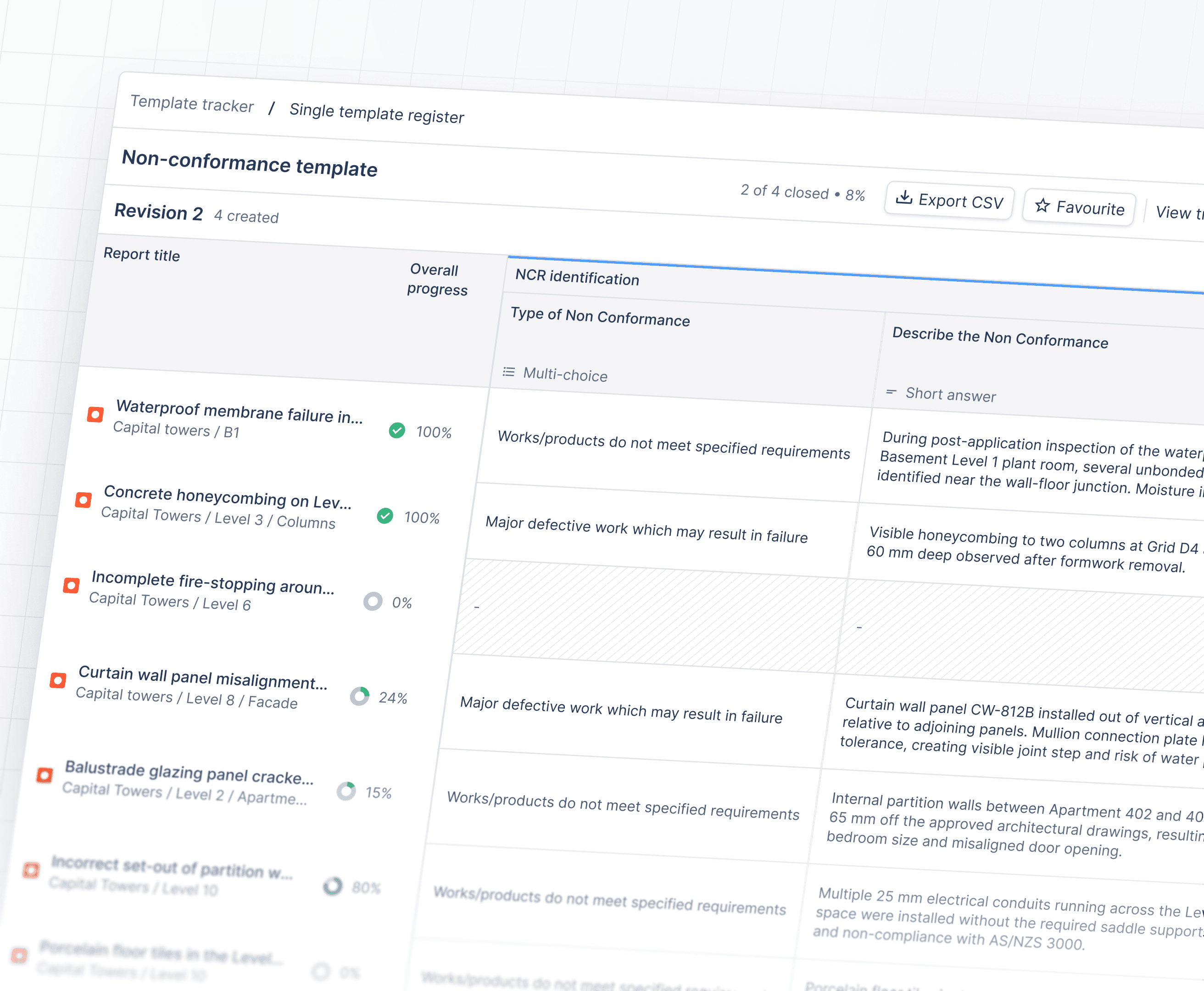
The final design paired a Tracker view for lifecycle management with a Register view for detailed reporting.
Key design decisions
Strengthen the workflow
We introduced multi-step approvals, manual close-out, and clear ownership and status at every stage. NCRs could no longer close silently as if they were routine tasks.
Standardise creation
Previously, NCRs varied by project and region. We introduced a consistent structure teams could rely on. The trade-off was less local flexibility in exchange for more trustworthy reporting.
Respect the register mental model
Rows represented NCRs and columns represented critical fields. Users could filter by location, company, and status, then export to CSV for deeper reporting.
We did not fight Excel. We respected why users trusted it.
Impact
Before release, Icon Group committed to adopting the rebuilt workflow company-wide from 1 January 2026 and replacing its existing system with Visibuild.
In research and release sessions, teams reported that the Register view removed the need to rebuild the same view manually in Excel.
Management could see what was open, what was stuck, and why without first assembling the view in another tool.
What I carried forward
The rebuild worked because we stopped treating Excel as the enemy. Teams trusted the register because it made serious work visible, comparable, and accountable. The product had to earn that same trust before it could replace the spreadsheet.
In operational software, familiarity is not a failure of imagination. Sometimes it is the shortest path to confidence, provided the workflow behind it is genuinely stronger.